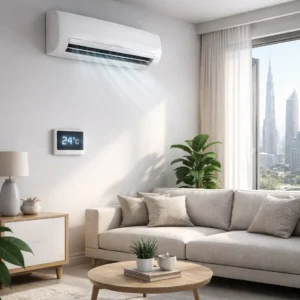





Understanding the right ac settings for cooling can make the difference between a home that feels comfortably cool and one that feels stuffy, humid, or unnecessarily expensive to run. Many people assume that lowering the temperature as much as possible will cool the room faster, but in reality, incorrect settings often lead to higher energy bills, uneven cooling, and unnecessary strain on the AC system. This guide explains how to set your AC correctly for comfort, efficiency, and long-term performance, while also helping you recognize when the issue is not the settings but a mechanical problem that needs professional attention.
Table of Contents
ToggleComfort-Focused AC Temperature Settings
Comfort-focused ac settings for cooling aim to keep your indoor environment pleasant without overworking the system. Comfort is not only about temperature but also about humidity, airflow, and stability.
For most homes in warm climates, a comfortable temperature range typically falls between:
- 23–25°C (73–77°F) during the day
- 24–26°C (75–79°F) during the night
These ranges allow your AC to remove heat and moisture gradually, which feels cooler than dry, overly cold air that fluctuates. Setting the thermostat much lower than this does not cool the room faster; it only forces the AC to run longer.
Comfort-focused settings also reduce sudden temperature swings. When your AC cycles on and off at a reasonable pace, the indoor environment feels more stable and less tiring for occupants.
Efficiency-Focused AC Setpoints for Daily Use
If your priority is reducing electricity consumption while maintaining reasonable comfort, efficiency-focused ac settings for cooling are essential.
Energy-efficient cooling usually works best at:
- 24–26°C (75–79°F) when the space is occupied
- 26–28°C (79–82°F) during light activity or cooler evenings
Each degree you raise the thermostat can reduce energy consumption noticeably over time. Even a small adjustment of 1–2°C can translate into meaningful savings without making the space uncomfortable.
Efficiency-focused setpoints also help the AC operate within a stable range, reducing wear on components such as compressors and fan motors.
Recommended “Away” Settings to Reduce Energy Waste
One of the most overlooked ac settings for cooling is the temperature used when no one is home. Turning the AC completely off may seem logical, but it often leads to excessive heat buildup and longer recovery times.
A better approach is to set the thermostat to:
- 27–30°C (81–86°F) when away for several hours
This prevents extreme indoor heat while significantly reducing energy use. When you return, the AC does not have to work as hard to bring the temperature back to a comfortable level.
For longer absences, such as weekends or holidays, combining higher setpoints with closed curtains and minimal heat sources can further reduce energy waste.
Understanding AC Mode Functions
Many people leave their AC in one mode without understanding how each option affects comfort and efficiency. Knowing how modes work is a core part of using ac settings for cooling effectively.
Cool Mode
Cool mode is the standard setting for lowering room temperature. The AC runs the compressor until the set temperature is reached.
This mode works best when paired with realistic temperature setpoints. Setting it too low does not speed up cooling and can cause unnecessary energy consumption.
Auto Mode
Auto mode allows the AC to adjust cooling output and fan speed automatically. This helps maintain a stable temperature without constant manual changes.
Auto mode is useful for spaces with fluctuating occupancy or heat load, as it balances comfort and efficiency.
Dry Mode
Dry mode focuses on reducing humidity rather than aggressively lowering temperature. This is particularly useful in humid climates where air feels warm due to moisture.
Lower humidity often makes a room feel cooler even at higher temperatures. Dry mode can improve comfort while using less energy.
Why Continuous Fan Operation Can Be a Problem
Many users keep the fan running continuously, assuming it helps with circulation. However, constant fan operation can increase humidity and power usage.
When the fan runs after the cooling cycle stops, moisture on the evaporator coil can re-enter the room. This makes the air feel damp and less comfortable.
For most homes, allowing the fan to cycle with the compressor is the better option.
Thermostat Efficiency Principles You Should Know
Correct ac settings for cooling also depend on understanding how thermostats work.
Realistic Cooling Limits
Most residential AC systems are designed to lower indoor temperature by about 8–12°C compared to outdoor conditions. Expecting the AC to maintain extremely low temperatures during peak heat is unrealistic and inefficient.
Accepting this limit helps you choose setpoints that the system can maintain steadily.
Recovery Time Expectations
Cooling takes time. Lowering the thermostat drastically does not speed up recovery.
Gradual cooling is more efficient and reduces strain on the system. Planning ahead, such as adjusting settings before peak heat hours, improves comfort.
Correct Thermostat Placement
Thermostat location significantly affects performance. Poor placement can cause false readings and inefficient cooling.
A thermostat should be:
- Away from direct sunlight
- Not directly above supply vents
- Installed at average room height
Incorrect placement can lead to uneven cooling and frequent cycling.
Complementary Home Settings That Boost Cooling Effectiveness
Optimizing ac settings for cooling works best when combined with supportive home adjustments.
Ceiling Fan Direction
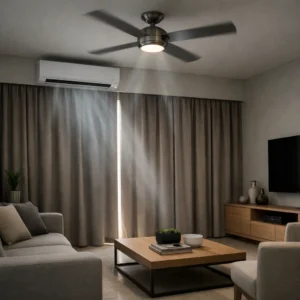
Ceiling fans should rotate counterclockwise during cooling seasons. This pushes air downward, creating a wind-chill effect that improves comfort.
Using fans allows you to raise the thermostat by 1–2°C without sacrificing comfort.
Window and Curtain Management
Sunlight is a major source of indoor heat. Closing curtains or blinds during peak sun hours reduces heat gain.
Thermal or blackout curtains are particularly effective in rooms with large windows.
Nighttime Ventilation Strategies
In some climates, outdoor air cools significantly at night. Ventilating briefly during cooler hours can release trapped heat.
Once indoor temperature drops, closing windows and switching to AC maintains comfort more efficiently.
Troubleshooting Common Cooling Problems Related to Settings
Not every cooling issue is mechanical. Many problems stem from incorrect ac settings for cooling.
High Humidity Despite Cooling
This often results from incorrect fan settings or using cool mode when dry mode is more suitable.
Adjusting modes and fan operation may resolve the issue.
AC Runs Nonstop
Continuous operation may indicate an unrealistic setpoint or poor insulation. Raising the thermostat slightly often improves cycling behavior.
Uneven Cooling Between Rooms
This may be caused by airflow imbalance or incorrect fan speed settings rather than system failure.
Simple adjustments can sometimes restore balance.
When Settings Are Not the Problem
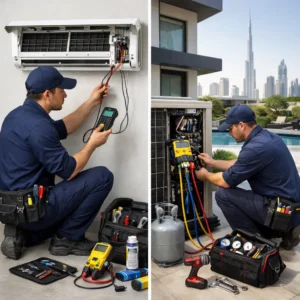
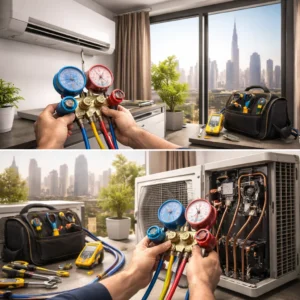
If optimizing ac settings for cooling does not improve comfort, the issue may be mechanical.
Common signs include:
- Warm air even at reasonable setpoints
- Persistent water leakage
- Unusual noises or odors
- Rapid temperature loss after cooling
In such cases, professional inspection is necessary to prevent further damage.
Cost Versus Comfort: How Small Adjustments Save Energy
Many people worry that energy-efficient settings will reduce comfort. In reality, small changes often go unnoticed while saving significant energy.
For example:
- Raising the thermostat from 22°C to 24°C can reduce cooling costs noticeably
- Using dry mode during humid days improves comfort at higher temperatures
- Turning off continuous fan operation reduces moisture and power use
Over time, these adjustments reduce wear on the AC system and lower maintenance costs.
How Correct Settings Support Long-Term AC Health
Consistently using appropriate ac settings for cooling extends system lifespan.
Benefits include:
- Reduced compressor stress
- Lower risk of coil icing
- Improved moisture control
- More predictable performance
This translates into fewer breakdowns and more stable cooling year-round.
When to Seek Professional Advice
If you are unsure whether discomfort is caused by settings or system condition, professional guidance helps clarify the issue.
Early consultation prevents minor inefficiencies from becoming costly repairs and ensures your AC operates safely and efficiently.
Conclusion
Using the right ac settings for cooling is not about finding a single “perfect” temperature. It is about understanding how temperature, humidity, airflow, and usage patterns work together. Comfort-focused settings keep your space pleasant, efficiency-focused setpoints reduce energy waste, and proper mode selection ensures balanced performance.
By combining smart thermostat use with supportive home adjustments and realistic expectations, you can enjoy consistent cooling without unnecessary cost or system strain. When settings alone are not enough, recognizing the signs early and seeking professional help protects both comfort and long-term system health.